🔒 Private by design · Android first

The password manager made for complete privacy

Your passwords, cards, notes and 2FA codes — all in one private vault that only you can open. No account to create. Nothing to track.

Get it on Google Play

Free to start · No account · No cloud required

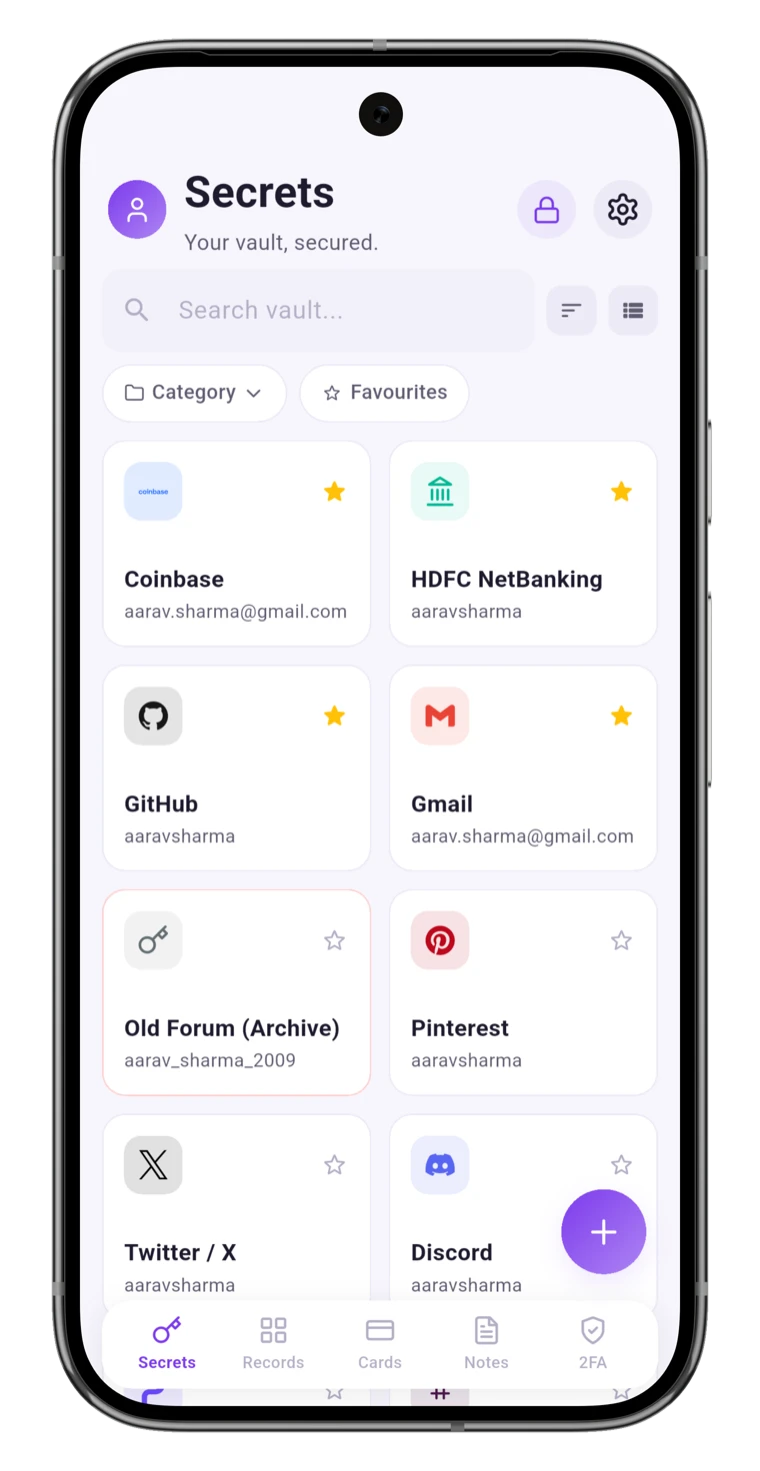
OneVault vault list with saved logins
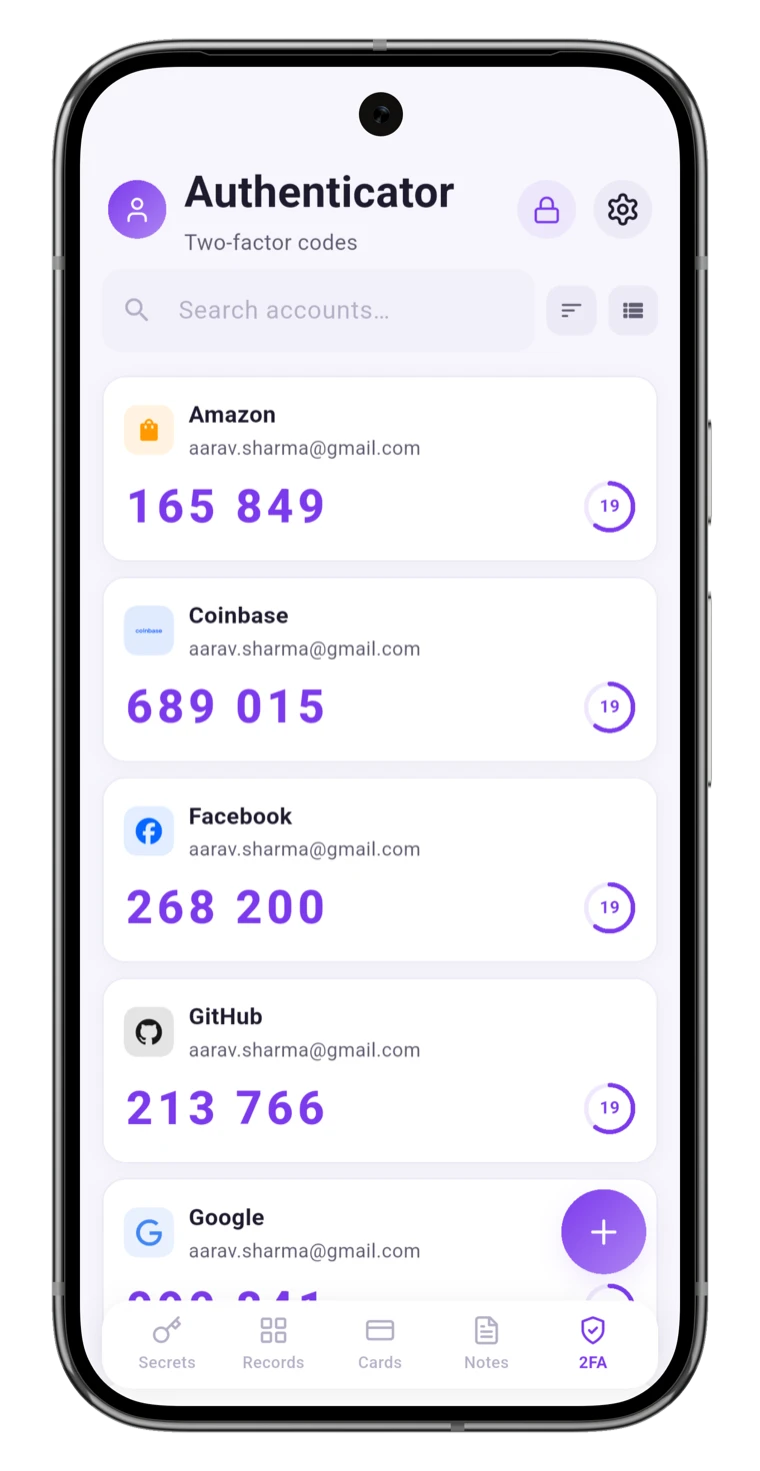
Built-in two-factor authentication codes
Bank-levelsecurity, built in
0trackers or ads
5-in-1passwords · cards · notes · 2FA
100%stays on your phone
The problem

Is your digital life scattered everywhere?

Passwords saved in your browser. Card numbers in a notes app. 2FA in a third place. Backup codes on a screenshot. It's convenient — until one of those leaks.

OneVault pulls every secret into one place that's actually built to keep them safe, locked behind encryption and your fingerprint.

The idea

Your passwords shouldn't live in a notes app. They should live somewhere built to protect them.

Locked on your phone · Opened only by you

One app

One vault, four kinds of secrets

Stop juggling apps. Everything you need to keep private lives under a single lock.

Passwords
Cards
Secure notes
2FA codes
Effortless unlock

Unlock with a glance. Locked the moment you leave.

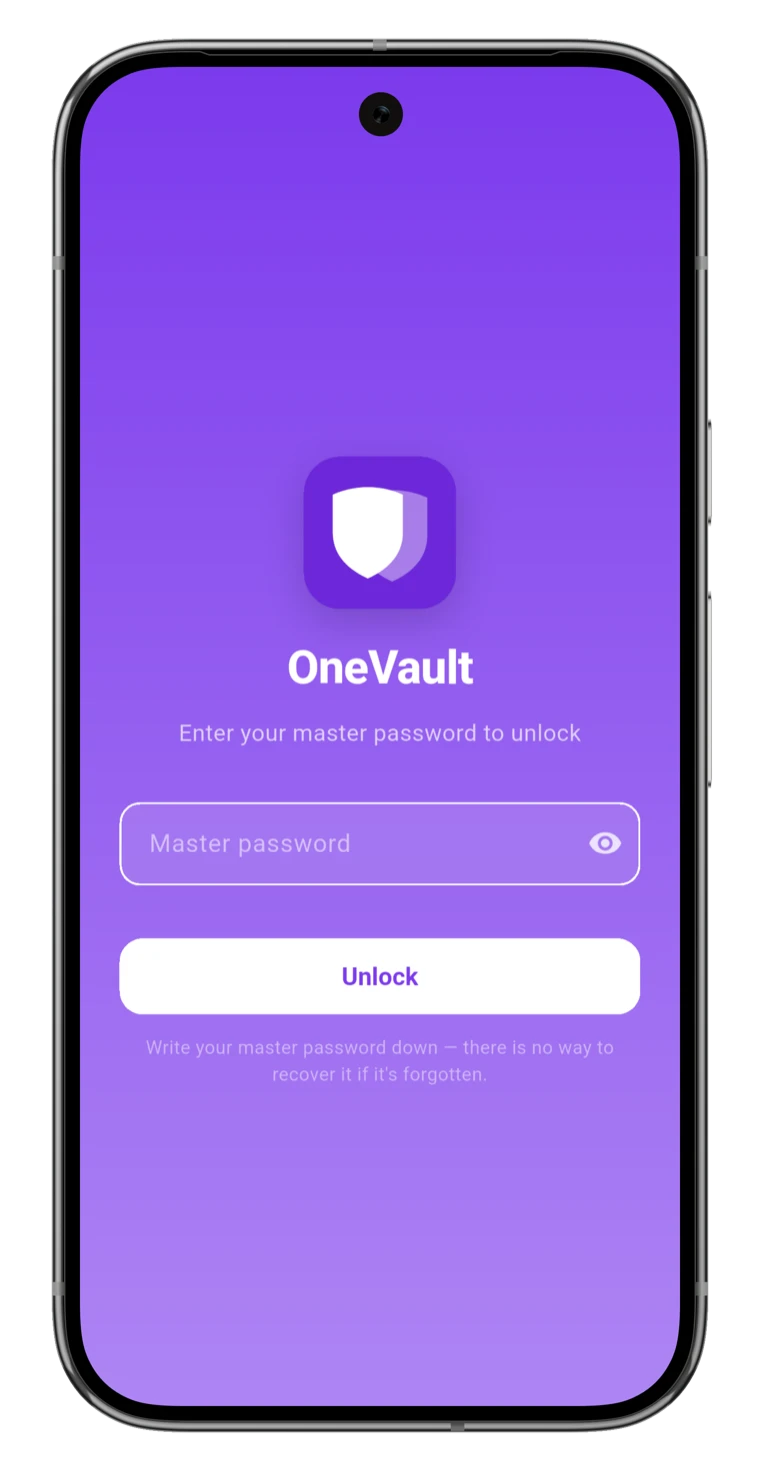
Open your vault with your fingerprint, face, or a PIN — your choice. Switch the app away and it locks itself, hiding everything from the app switcher.

  • Biometric or PIN / password
  • Auto-lock on exit & privacy screen
  • Brute-force lockout with optional auto-wipe
OneVault security settings: PIN lock, auto-lock and erase after 10 tries
Private by design

Your secrets never leave your phone.

Everything is locked away on your phone and can only be opened by you. There's no account, and no company server that can read your vault — not even us.

  • Everything stays on your phone
  • Only your fingerprint or PIN can open it
  • Works fully offline
Payment cards stored privately in OneVault
Stay ahead of trouble

Know which logins are putting you at risk.

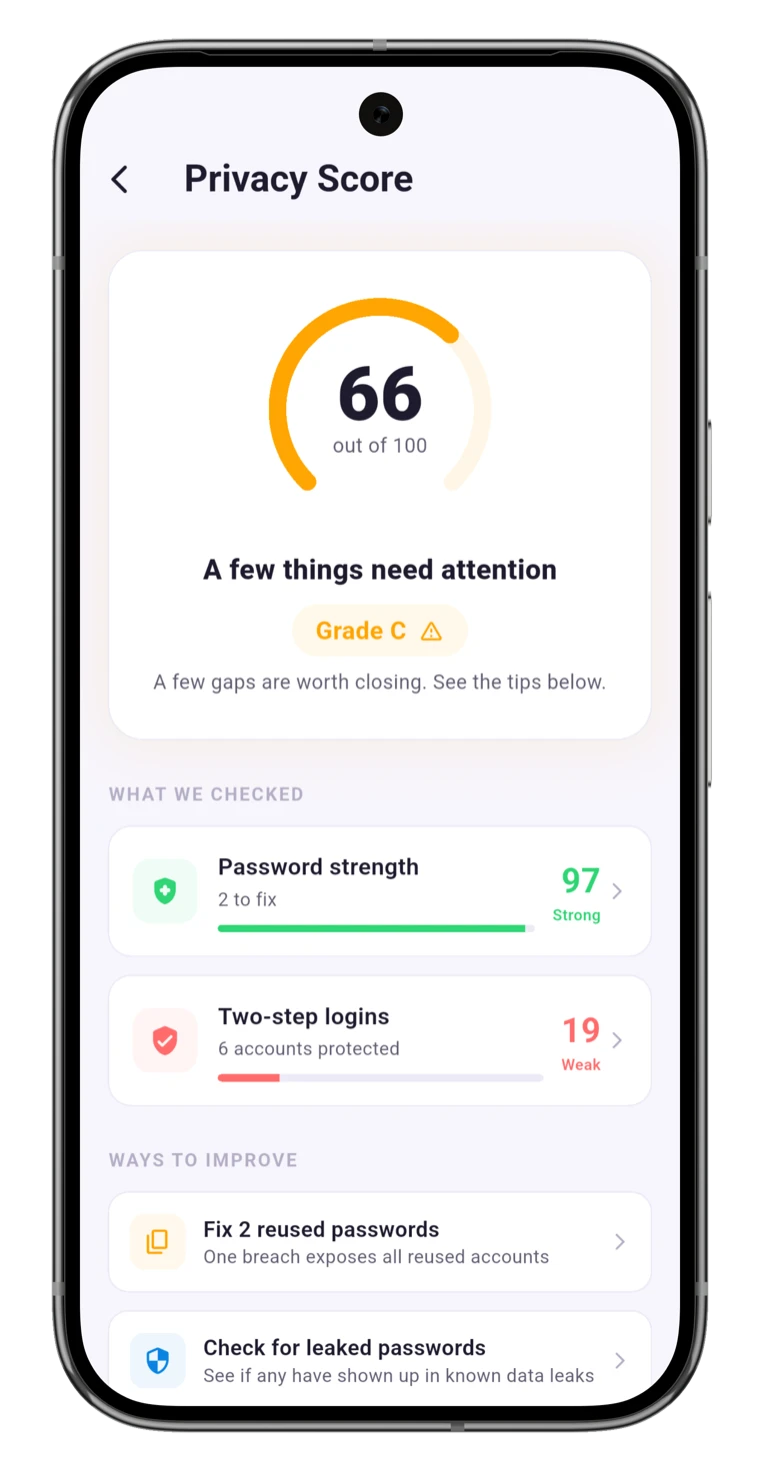
OneVault rates how safe your logins are, points out weak and repeated passwords, and warns you if any have shown up in a known data leak — privately, without ever sending your real password.

  • Warns you about leaked logins
  • Spots weak and reused passwords
  • A simple safety score, at a glance
OneVault privacy score showing password strength and two-step logins

Less reusing. More peace of mind.

Generate strong passwords · Autofill them everywhere

Everything included

Serious security the others charge a fortune for

One download. Every protection you'd expect from a premium manager — and a few you wouldn't.

Built-in 2FA authenticator

Scan a QR code and OneVault becomes your authenticator — no separate app to manage.

Autofill across your phone

Fill logins into apps and the browser in a tap — populated only while you're unlocked, cleared on lock.

Encrypted cloud backup

Optional Google Drive backup that only you can restore.

Secure send

Share one secret safely — it can only be opened once.

Travel mode

Temporarily hide sensitive vaults before you cross a border.

Emergency access

Hand a trusted person a sealed kit for when it's truly needed.

Import & export

Bring your data from LastPass, Bitwarden or 1Password via CSV.

Categories & favourites

Organise logins your way and keep the ones you use most on top.

How it compares

Everything the big names do — for a fraction of the price

Premium protection without the recurring premium bill.

What mattersOneVaultCloud managersBrowser saved
Lowest yearly cost$14.99/yr$36+/yrFree
One-time lifetime plan
Your data stays on your phoneVaries
Works with no account
Built-in 2FA codesSome
Breach monitoringSome
Cards · notes · secure sendSome
Simple pricing

Start free. Upgrade only if you want to.

Every paid plan unlocks the exact same full feature set.

Free

$0

10 vault items · 3 2FA codes · full encryption

Get started

Monthly

$1.99/mo

Unlimited everything, billed monthly

Choose monthly

Yearly · best value

$14.99/yr

≈ $1.25/mo · save 37%

Choose yearly

Lifetime

$39.99

Pay once. Yours forever.

Buy lifetime
Loved by early users

Quiet app, real peace of mind

★★★★★

“Finally moved everything off my browser and a sticky notes file. It's fast, it's private, and the fingerprint unlock means I actually use it.”

AM
Aarav M.Early access tester
★★★★★

“The 2FA codes built right in mean one less app. Love it.”

SK
Sara K.Android user
★★★★★

“No account, no cloud unless I want it. Exactly what privacy should look like.”

DR
Daniel R.Android user
★★★★★

“The health score showed me three reused passwords I'd forgotten about.”

PT
Priya T.Android user
★★★★★

“Lifetime price for this feature set is a no-brainer.”

JL
Jon L.Android user
Questions

Frequently asked

Can OneVault see my passwords?+

No. Everything is locked away on your phone and only your fingerprint or PIN can open it. There's no company server that can read your vault — not even us. Backups can only be restored with a recovery key that only you have.

What happens if I switch phones?+

Turn on cloud backup, save your recovery key somewhere safe, and restore on your new phone. Without that key, no one — including us — can open the backup.

Does it work without internet?+

Yes. Your vault lives on the device, so adding, viewing and autofilling all work offline. The internet is only used for optional cloud backup and on-demand breach checks.

How is it different from saving passwords in my browser?+

Browser-saved passwords are tied to your account and easy to read once you're signed in. OneVault keeps a separate vault locked behind your fingerprint or PIN — plus cards, notes, 2FA, leak alerts and more.

Is the free plan actually useful?+

Yes — up to 10 vault items and 3 two-factor codes with full encryption and biometrics, no time limit. Upgrade any time to remove the limits.

Can I import from another password manager?+

Yes. OneVault imports CSV exports from LastPass, Bitwarden, 1Password and generic formats.

Which platforms are supported?+

OneVault is on Android today — phones and tablets. More platforms are on the roadmap.

Your most private vault is one tap away.

Private, affordable and genuinely on your side. Move your passwords somewhere built to protect them.

Get it on Google Play

No account. No cloud. No tracking. Free to start, Android first.